Does Your Web Designer Own Your Domain? How to Check, Prove and Keep It in Your Name
Hiring ·
If your web designer’s name is in the registrant field at the registrar, then in practice they own your domain, whoever paid for it. A contract protects you in a dispute, but the registrant makes the decisions today. This guide shows you how to check who owns your domain in two minutes, how to prove ownership when the Saudi Business Platform or Google asks, and what to require from any agency before you pay them a single riyal.
Most business owners only ask about domain ownership when it is too late: when the Business Platform (منصة الأعمال) asks them to prove it to document their online store, when company email suddenly stops, or when the developer who registered the domain years ago disappears. The whole check takes five minutes if you know where to look.
Why your domain matters more than your website
Websites get rebuilt every few years; the domain stays. Many of the clients who come to us to redesign a site built years ago, around 2020 for example, already own their domain, so we build a completely new site and put it live on the same domain.
That is why your domain carries everything you built in those years: your visibility on Google, your company email, and the address printed on every business card and invoice. A website can be rebuilt in weeks; a lost domain may never come back.
Who actually owns your domain? Three layers, not one
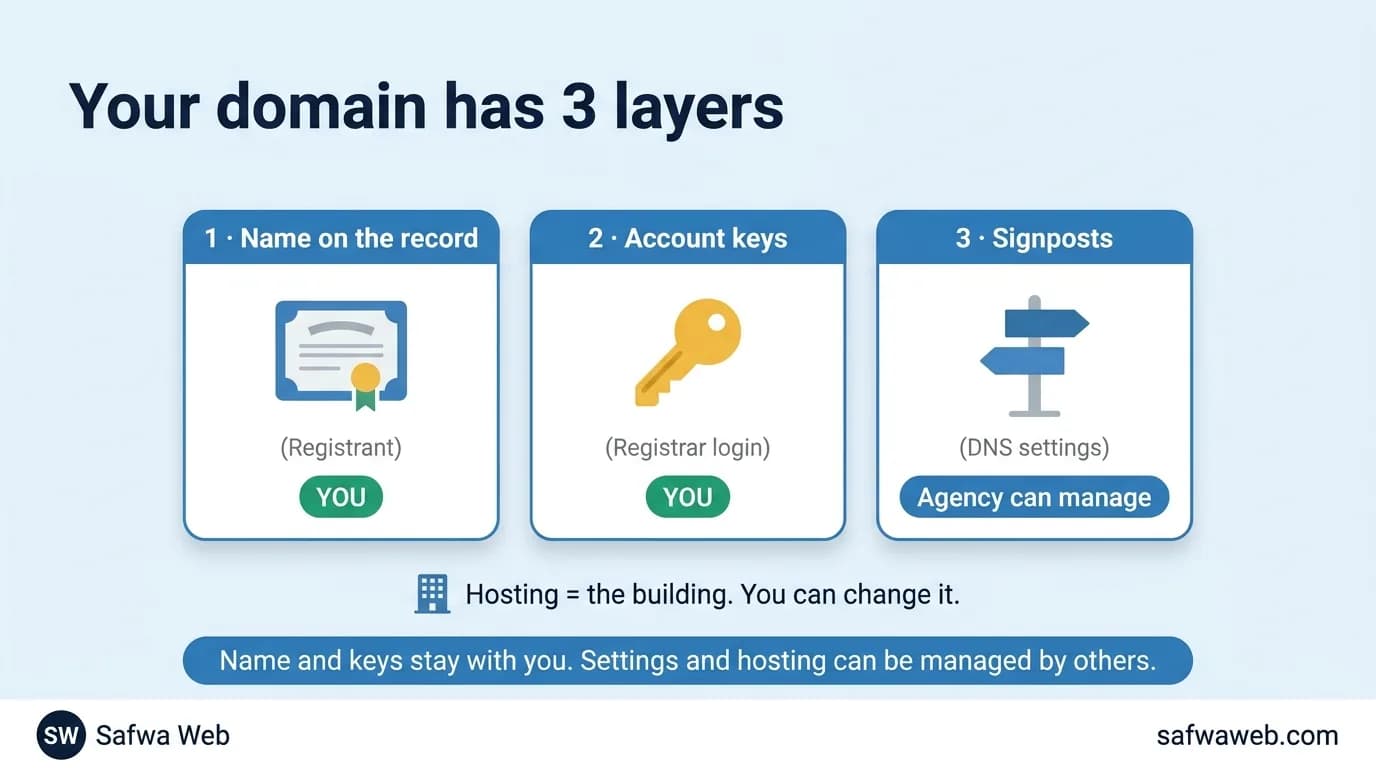
Think of your domain as a shop on the internet: it has a name on the title deed, a set of keys, and signposts that bring people to the door. A different person can hold each of these layers:
- The name on the record, called the registrant: the legal owner, like the name on a title deed. It should be your business.
- The account at the registrar, the company the domain was bought from: the keys. Whoever can log in can renew the domain, transfer it and change its settings.
- The DNS settings: the signposts that point the domain at your website and email. Your agency can safely manage these.
Hosting is the building the shop sits in. You can rent it from anyone, including the agency that built your site, and move out whenever you like, as long as the name and the keys stay with you.
| Layer | What it means | Who should hold it |
|---|---|---|
| Registrant | The legal owner of the domain | Your business, under the name on its commercial registration |
| Registrar account | Login, renewal and transfer | You, with shared access for your agency if needed |
| DNS settings | Where the website and email point | You; your agency can manage them |
| Hosting | Where the website files live | You or your agency, with a full copy of the site in your hands |
Step 1: How to find out who owns your domain
Start with a public lookup of the registration data, known as a WHOIS lookup. The method depends on your domain’s extension, and so does what you will see.
.sa and .com.sa domains: the owner’s name is public
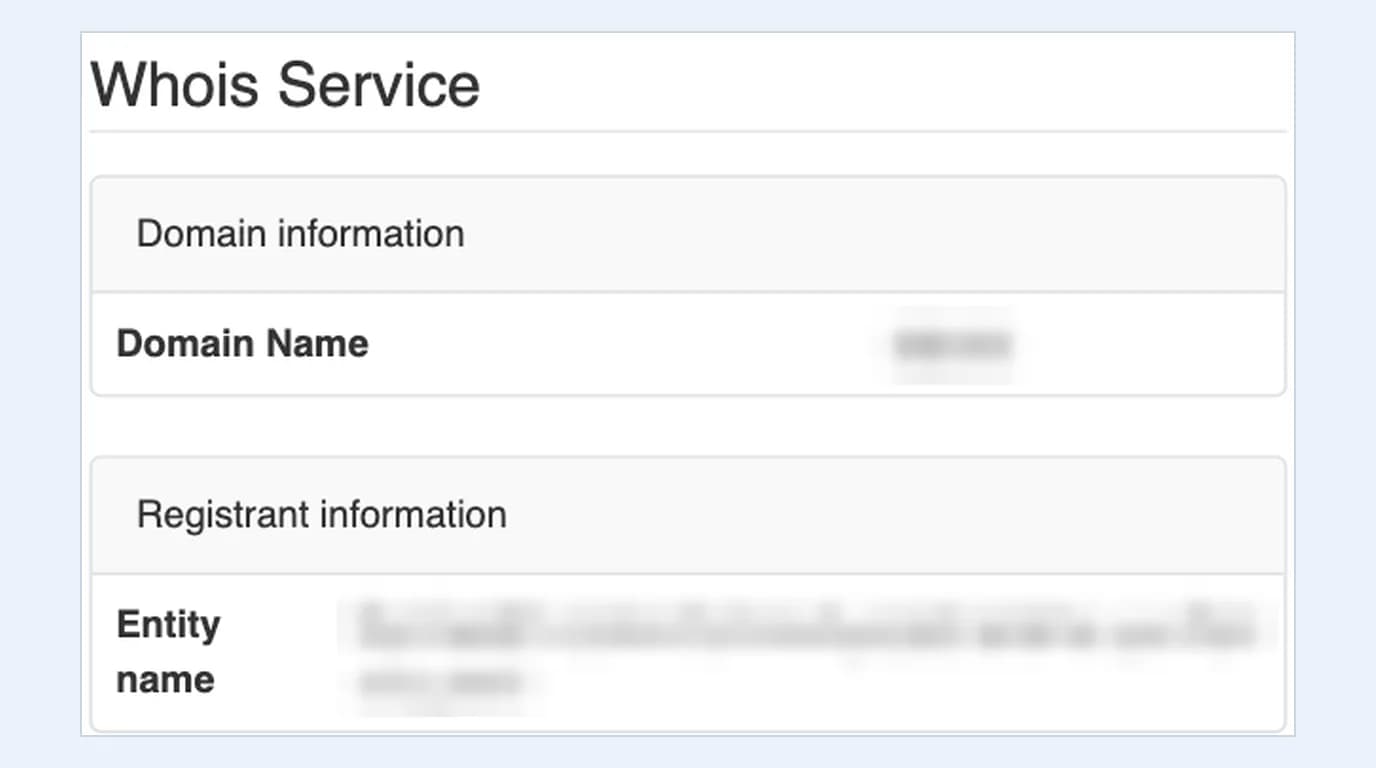
Saudi domains are run by the Saudi Network Information Center (SaudiNIC), and its official lookup shows the owner’s name to anyone. Open secure.nic.sa/whois, type the domain, enter the visual verification code and press send.
In the result, look under Registrant information: the owning company’s name appears in the Entity name field. If you see your business, you are fine; if you see your design agency or an employee’s personal name, you have a problem to fix today.
.com and other global domains: the name is usually hidden
Open ICANN’s official lookup tool at lookup.icann.org. Type the domain and press Lookup to see the registrar, the dates, the domain status and the name servers.
The registrant section, though, will usually be hidden. This is the result for our own domain, safwaweb.com: name, organization, phone and address all read “The RDAP server redacted the value”, and even the country shows LT, Lithuania, where the privacy service is based, not us.
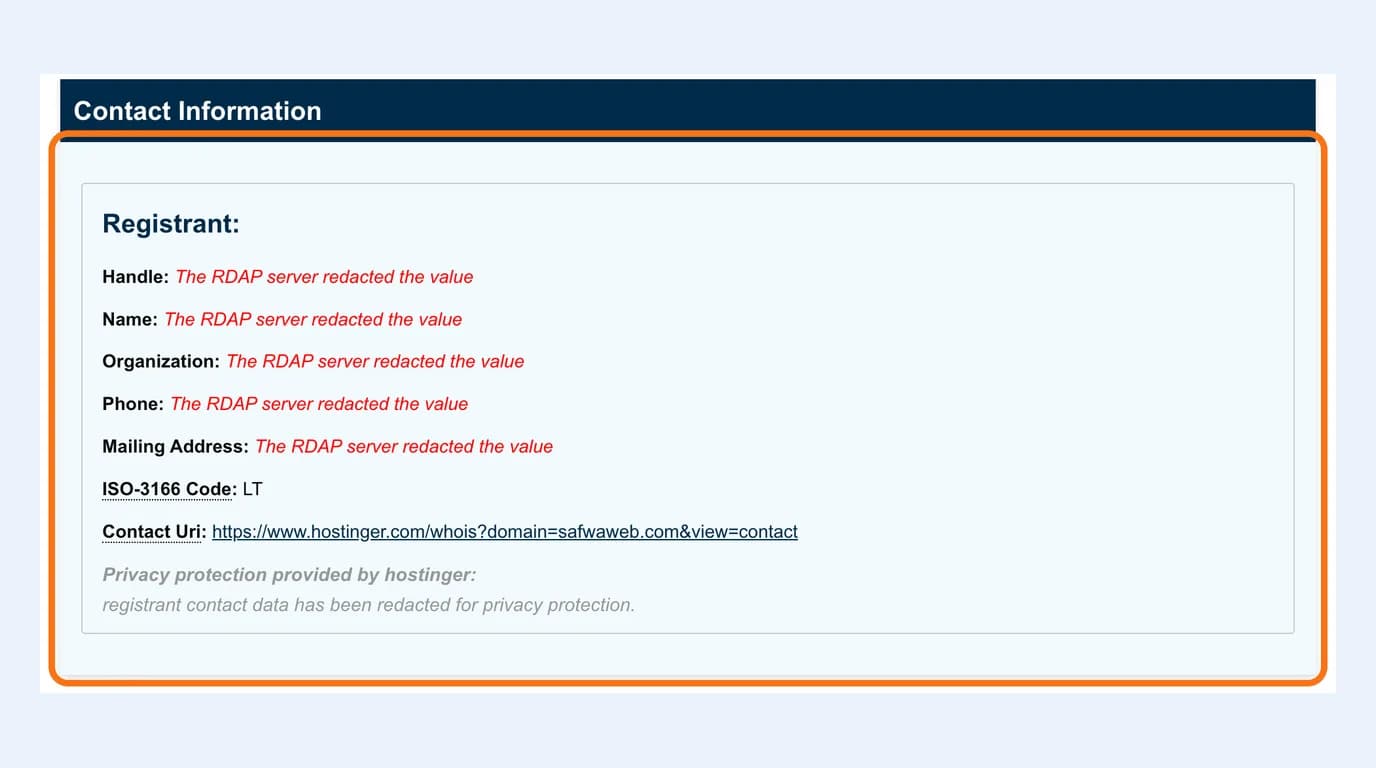
This hiding is normal and keeps your details away from spam, but it means something important: a public lookup alone cannot tell you whether a .com domain is in your name or your agency’s. The answer is in step 2.
Five fields to read in any result
| Field | What it means | What to do |
|---|---|---|
| Registrant | The domain’s owner | Must be your business; if hidden, check the account |
| Registrar | The company the domain was bought from | Your account must be here |
| Expiration date | The renewal deadline | Put it in your calendar a month ahead |
| Name servers | Where the DNS settings are managed | Whoever controls these controls your site and email |
| Status: clientTransferProhibited | A lock against unapproved transfers | Leave it on |
Step 2: Open the registrar account, where ownership is decided
Ask yourself one question: can I log in to the domain’s account at the registrar right now? If the answer is no, you do not control your domain, even if your name is on it.
If you do not know where the domain was registered, the registrar’s name appears in the step 1 result. Inside the account, open the contact details and check four things: the registrant’s name, its email, the payment method and the expiry date.
The account email: never on the same domain
If you log in with an address like info@yourcompany.com and the domain expires, that inbox stops with it, and so do the password-reset emails. Use a permanent company address on another service, not the personal email of an employee who may leave.
Domain renewal: who pays, and when?
Registrars send renewal reminders to the registrant’s own email: about a month before expiry, about a week before, and once more within five days after. If that email belongs to your agency, they get every reminder, and you find out when your website and email stop working.
For domains like .com, the website and email stop after expiry, then comes a grace period that varies by registrar, followed by a 30-day redemption period at a higher fee; after that, anyone can register the domain. Renewal itself is not expensive: a .com costs us about SAR 90 a year and a .sa about SAR 190, and you will find the rest of the yearly running costs in our website cost guide.
Turn on auto-renew, keep the card valid, and register for several years if you can. A .sa domain, for example, can be registered for one to ten years.
Step 3: Prove domain ownership the three standard ways
Many services ask you to prove domain ownership before they work: the Business Platform to document your online store, Google Workspace for company email, and Search Console for your visibility on Google. Each gives you a code and asks you to put it somewhere only the domain’s owner can reach, in one of three ways:
- A TXT record in the DNS settings, the most common method: you add a text record whose value is the code, such as domain-verification=… on the Business Platform or google-site-verification=… on Google.
- A text file containing the code, uploaded to the root of your website so it opens in a browser.
- A meta tag containing the code, added inside the head of your homepage.
Then you press verify and wait. The Business Platform warns that record updates can take up to 12 hours, and Google says a new TXT record can take up to 72 hours to be recognised.
Notice that all three methods need access to the DNS settings or the website files. If your agency holds those keys, you wait for them every time you need proof, including the Search Console check we start with in why your website is not showing on Google.
Domain ownership on the Saudi Business Platform: it must be yours
The Business Platform (منصة الأعمال) has been the approved channel for documenting online stores in Saudi Arabia since it replaced Maroof. Its documentation service requires the merchant to pledge ownership of the domain name, with “ownership of the domain belonging to the applicant… and the domain not already registered to another party” (our translation).
In plain words: if your domain is registered to the agency that built your store, you are pledging something untrue. And if they hold the DNS settings, your store’s documentation waits for them, so domain ownership is not a technicality; it is one of the conditions.
What is different in Saudi Arabia?
A .sa domain is tied to your business
Not just anyone can register a .sa domain. SaudiNIC asks for the registrant’s full name exactly as in its official documents, plus proof of its relationship to the requested name, which is why you usually need a commercial registration.
Every .sa domain also has four contacts: registrant, administrative, technical and billing. The administrative contact must be inside the Kingdom and is the one notified of the registration decision, so make your business the registrant and the administrative contact, and your agency the technical contact only.
Your company email lives on the domain
Company email on Google Workspace or Microsoft 365 runs through records in your domain’s DNS settings and is switched on by the same proof of domain ownership. Whoever controls those settings can redirect or stop your email, and an expired domain takes your email down with your website.
The 8-point checklist before you pay any agency
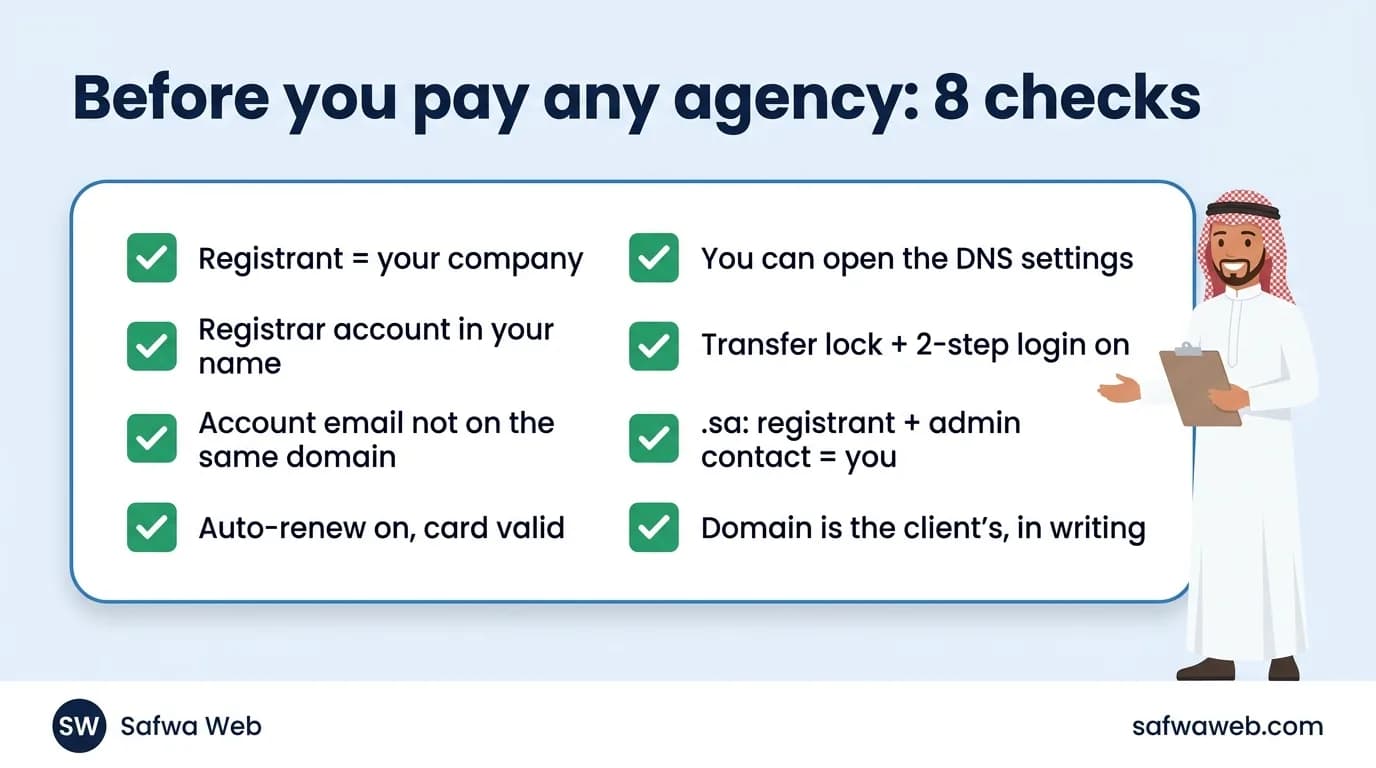
Ask any design agency or freelancer for these eight points before the first payment, and get them in writing. A serious company agrees without argument; it is the first of our 10 questions to ask before hiring a web design company.
- The registrant is your business, under the name on its commercial registration, not the agency and not an employee.
- The domain account at the registrar is in your name, and you hold the password.
- The account email is a permanent company address, not on the same domain.
- Auto-renew is on, the card is valid, and the expiry date is in your calendar.
- You can open the DNS settings whenever you need to prove domain ownership.
- The transfer lock and two-step login are both on.
- For .sa domains: your business is the registrant and the administrative contact; the agency is the technical contact only.
- One written line in the quote or contract: the domain belongs to the client from day one.
How to give your agency access without giving them the domain
A question that keeps coming up in Arabic forums: how do I give the designer my domain and hosting details? The answer: do not give them your password, and do not move the domain into their account.
Most registrars let you share access without handing over ownership, such as Account sharing at Hostinger, Delegate Access at GoDaddy and Share Access at Namecheap. If you ever have to share a password, change it as soon as the work is done.
Then put the agreement in the quote or the contract. This is a clause we suggest; copy it and review it with your legal adviser:
“The domain name is registered in the client’s name [business name as on the commercial registration] and email from day one, and remains the client’s property in all circumstances, including the end of the contract or a dispute over any payment. The client receives the login details for the domain account at registration and may grant [agency name] technical access to manage its settings only. Renewal fees from the second year onwards are paid by the client.”
This is fair to both sides: the design and code files can be handed over at the final payment, as the two parties agree, but the domain is simply not part of that negotiation.
Domain in your web designer’s name? Move it to yours calmly
Most of these cases are not bad faith: the designer registered the domain in their own name because it was faster, and then everyone forgot. Start with a friendly, clear message:
“Hello [name], we would like to update the details of our domain [domain] so that the registrant is our business [name as on the commercial registration] with our email [email], or to move it to an account in our name. We are happy for you to keep managing the technical settings as they are. Please let us know a suitable time this week. Thank you.”
There are two ways to do it:
- Change the registrant details at the same registrar, or move the domain from their account to one in your name at the same company; this is usually the fastest route.
- Transfer the domain to another registrar of your choice: the transfer lock is removed and the transfer code is released. ICANN’s policy requires the registrar to give this code to the registrant within five days of their request, so the right belongs to the registrant, which is exactly why the name must be yours.
One small warning: under ICANN’s current policy, changing the registrant locks transfers to another registrar for 60 days, unless you opt out of that lock before the change. If you plan to do both, ask your registrar first.
If the agency refuses or has disappeared, we wrote the full steps in how to take your website back from an agency that disappeared, including how your commercial registration protects you with .sa domains.
The biggest mistake we see, and how we handle client domains
The biggest mistake we see is a founder handing ownership of the domain to an agency or freelancer, depending on them for everything, and then asking them every year how much they will charge for the renewal. Your domain should always be in your name, in your hands, and you should know its renewal date yourself.
From what reaches us, people who lost a domain with a previous agency usually recover it first and then contact us. Most of our enquiries come from startups that do not have a domain yet and ask us to get one.
In that case we create the domain account with the client’s own email: the verification code (OTP) goes to the client, who passes it to us to finish the registration, so the domain is registered in their name and the account sits on their email. The first year is included in the project price; renewals after that are paid by the client, at an amount written into the contract from the start.
Some founders register the domain themselves before they talk to any company, and take only hosting from us. It is the smartest arrangement we see, and we recommend it; if you want a new site on the domain you already have, the details are on our web design page.
The bottom line: do this today
- Look up your domain: secure.nic.sa/whois for .sa domains, lookup.icann.org for the rest.
- Log in to your domain account, or find out who holds the password.
- Check that the registrant is your business, the email is a permanent company address, and auto-renew is on.
- Make sure you can reach the DNS settings before you need to prove domain ownership.
- If the domain is in someone else’s name, send the message above this week.
You can rebuild a website with any company at any time; your domain is your only address. Five minutes today saves you weeks of emails later.
Frequently asked questions
Does my web designer own my domain if I paid for it?
Not necessarily. Ownership follows the name in the registrant field at the registrar, not the invoice. Payment receipts help in a dispute, but they do not move the name on their own, so correct the details now instead of waiting for a disagreement.
How do I find out who owns my domain if the details are hidden?
Log in to the domain account at the registrar and open the contact details; the account holder sees them in full. Without an account, the registrar’s name appears in ICANN’s lookup, and many registrars offer a form to contact the owner. For .sa domains, the owner’s name is public anyway.
Can I own a domain forever?
No. A domain is registered for a fixed period, from one to ten years, and stays yours as long as you renew it. That is why you should turn on auto-renew and register for several years if you can.
What is the difference between a domain and hosting?
The domain is the name and address; hosting is where the website’s files live. You can change hosting and keep the domain, which is exactly what we do when we rebuild an old site for a client on the same domain.
What does clientTransferProhibited mean in a lookup result?
It is a lock that stops the domain being transferred to another registrar without the account holder’s approval. Seeing it is a good sign: leave it on, and it only comes off when you transfer the domain.
Can an agency keep my domain until I pay the rest of the fee?
Agree on this in writing before work starts: the domain is yours from day one, and handing over the design and code files can be tied to the final payment. Using a domain as leverage is exactly what this guide is meant to prevent. This is general information, not legal advice.