Case study · Real Estate Development
Real estate developer website for Roof: every project page now sends its enquiries straight to the CRM
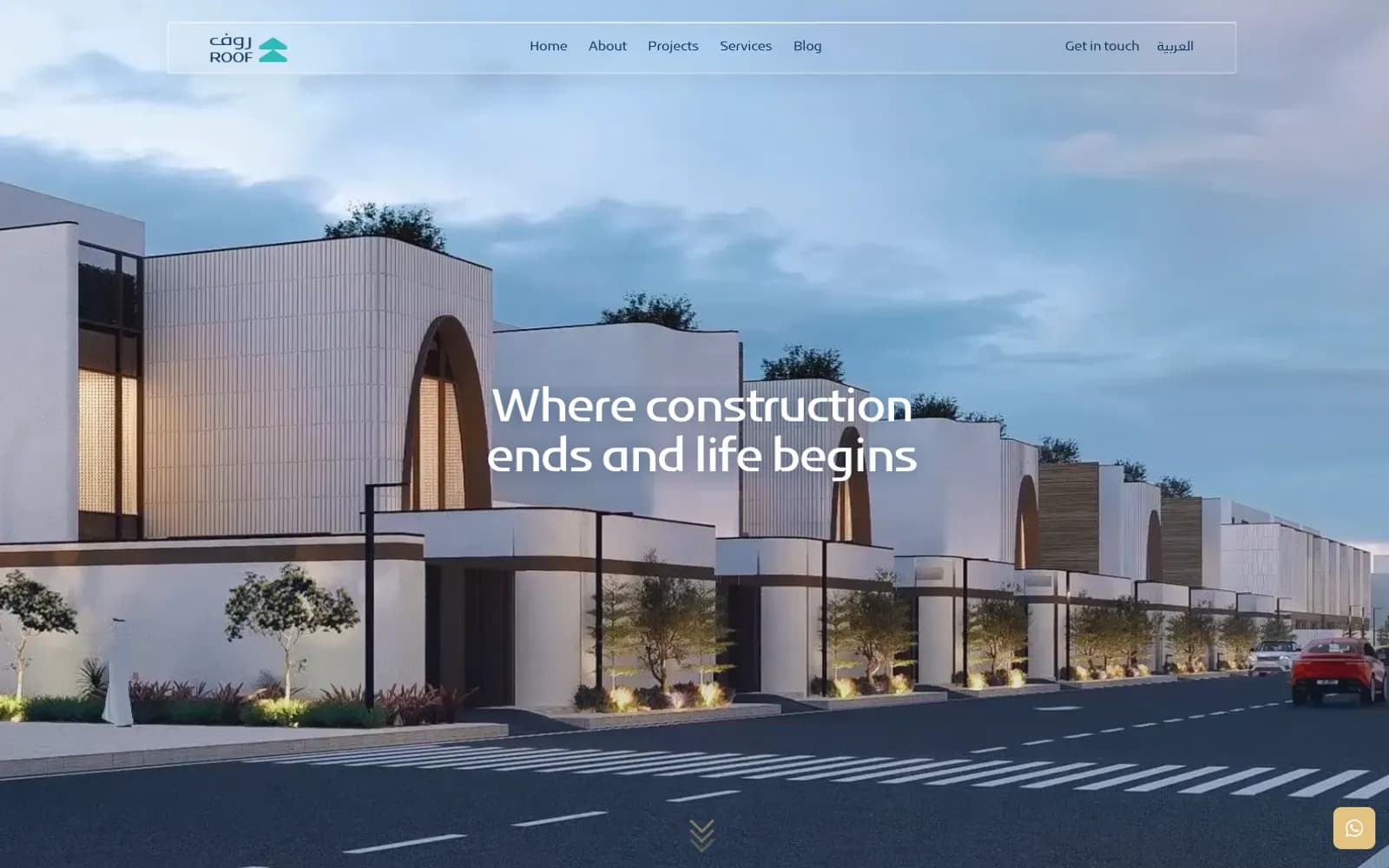
We built roof.com.sa, the website of Roof Real Estate Development in Riyadh: Arabic first, with a full English version, and a page for each of its 14 projects. Every project page has a “Register your interest” form that sends the buyer's details straight into Roof's CRM, tagged with the project. Roof's own designer reviewed every round against the brand guidelines, and the site went live in October 2026, about two and a half months after we started.
- Client
- Roof (روف للتطوير العقاري)
- Industry
- Real estate development, Riyadh
- Live since
- October 2026
- Project length
- About 2.5 months, kickoff to launch
- Our work
- Bilingual website design and build, 14 project pages, CRM-connected enquiry forms, projects map, admin panel, SEO setup
- Brand and images
- Built to Roof's brand guidelines; project images supplied by Roof
- Live website
- roof.com.sa/en
What was wrong with Roof's old website?
Roof was running Google Ads, and the ads were doing their job: people clicked and sent enquiries. But the old website was not connected to Roof's CRM, so those enquiries never reached the sales team. Roof was paying for buyers who then got lost between the website and the system.
The problem was not how the site looked. It was that the site sat outside the way Roof sells.
What did we fix first?
Before touching the design, we connected the old website to Roof's CRM, so new enquiries stopped getting lost right away. Then we built the new site from scratch, with the CRM connection planned in from the start instead of added at the end.
What does the new website do?
1. A page for every project, with the first answers at the top
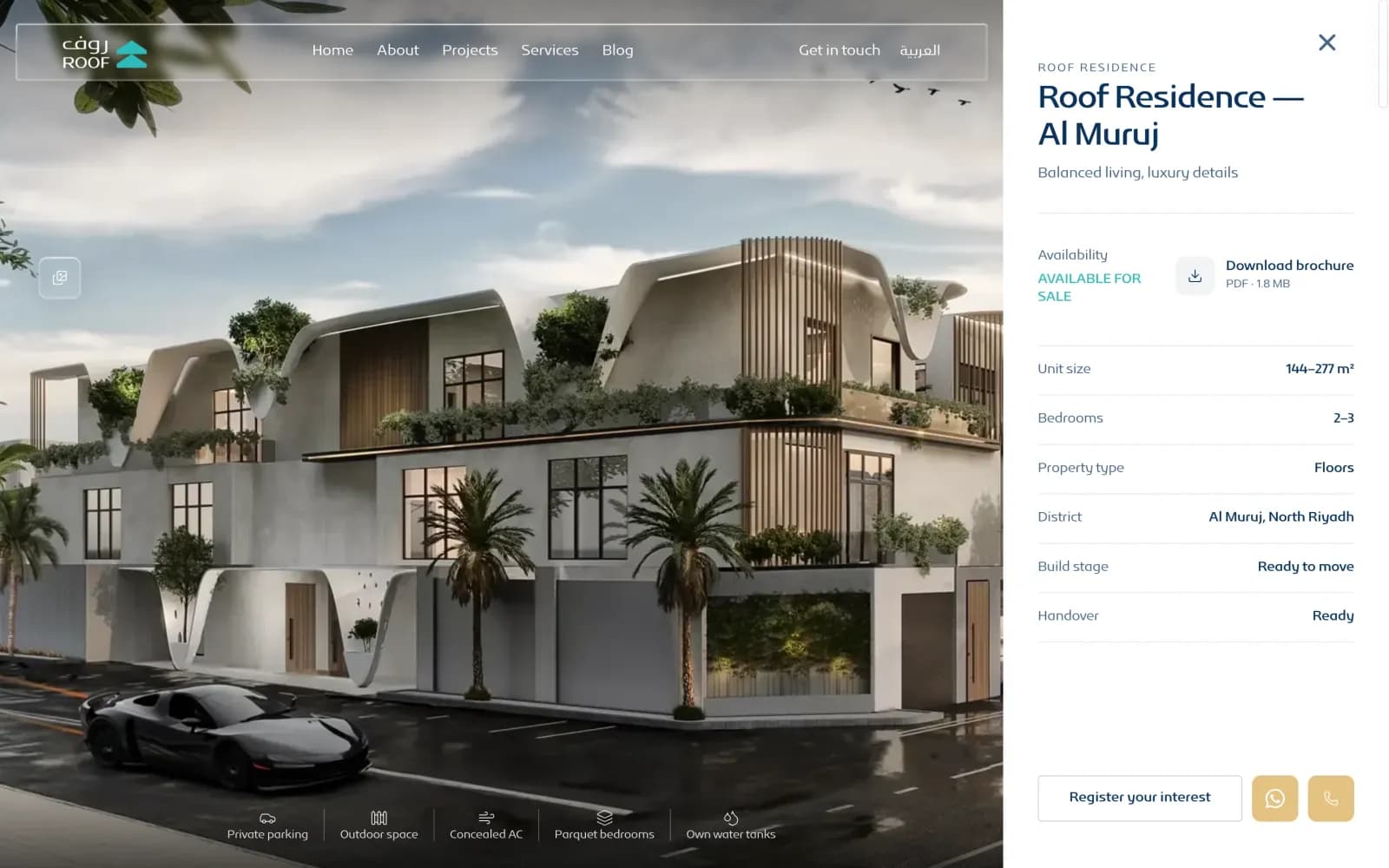
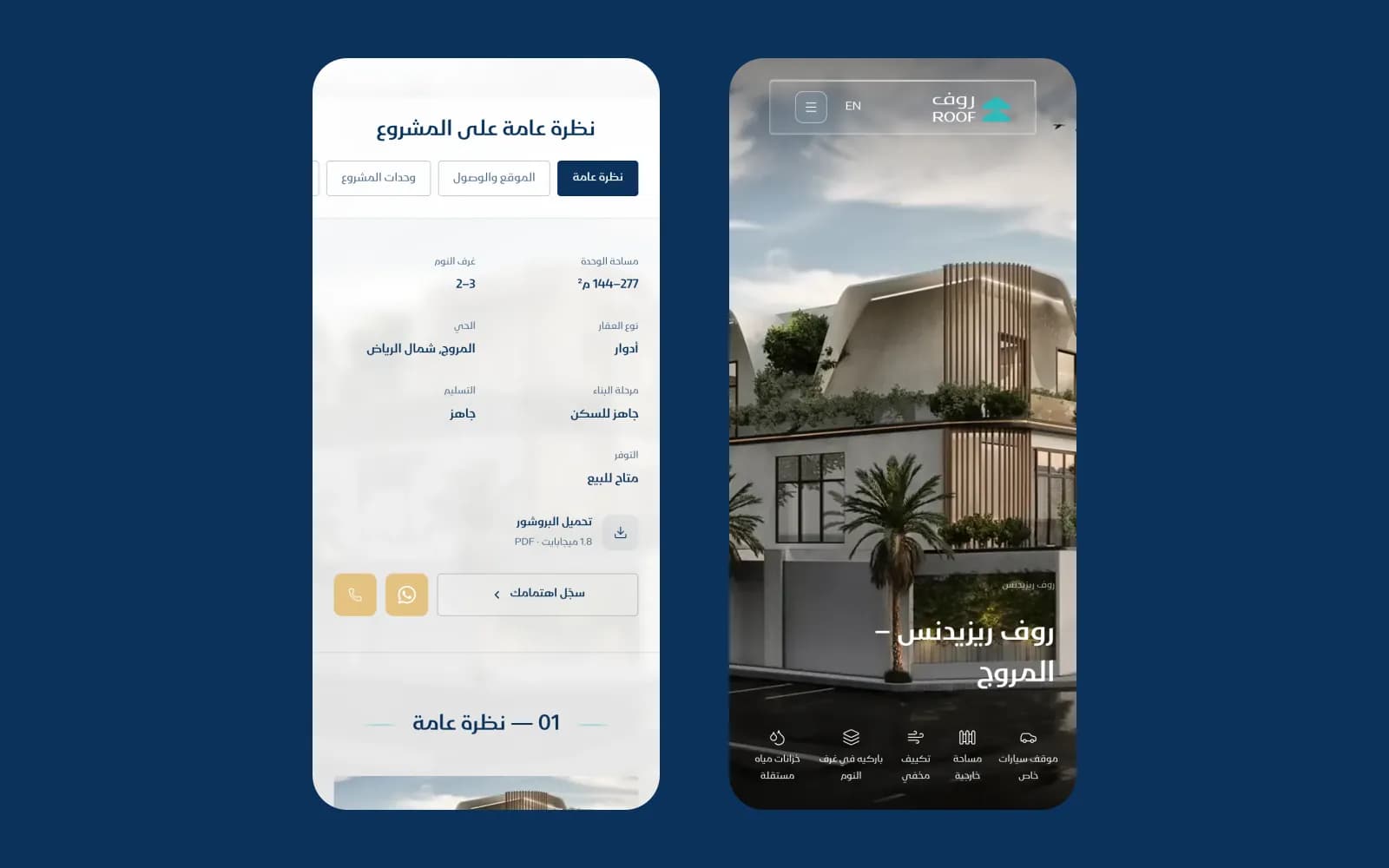
Each of Roof's 14 projects has its own page, in Arabic and in English. One panel at the top answers what buyers ask first: availability, unit size, bedrooms, property type, district, build stage and handover.
Below it, the page has six sections — overview, location and access, project units, features, specification and handover — with a side menu to jump between them. The brochure downloads as a PDF straight from the page, with its size shown (1.8 MB for Al Muruj), so nobody on a phone is surprised by a big download.
2. Every enquiry goes straight into the CRM
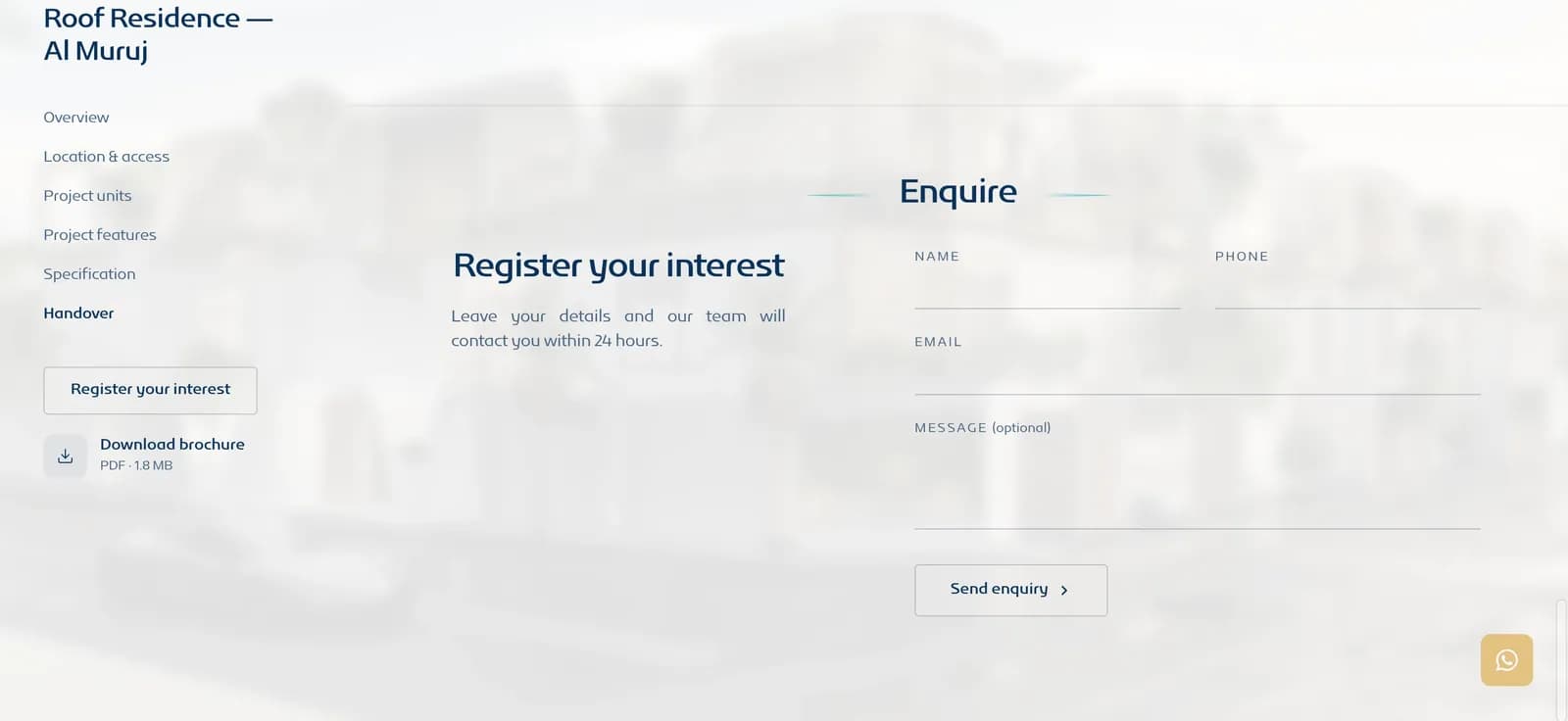
Every project page ends with a “Register your interest” form: name, mobile number, email and an optional message, with Roof's promise to get back within 24 hours. The enquiry goes directly into Roof's CRM, tagged with the project, so the sales team knows which project the buyer wants before they call.
One detail matters a lot in Saudi Arabia: many people type their mobile number in Arabic digits (٠٥٥…). The form turns them into Western digits (055…) before sending, so every number reaches the CRM in a form the sales team can dial.
Buyers who would rather talk have WhatsApp and call buttons right next to the form. The WhatsApp message opens with the project name already written.
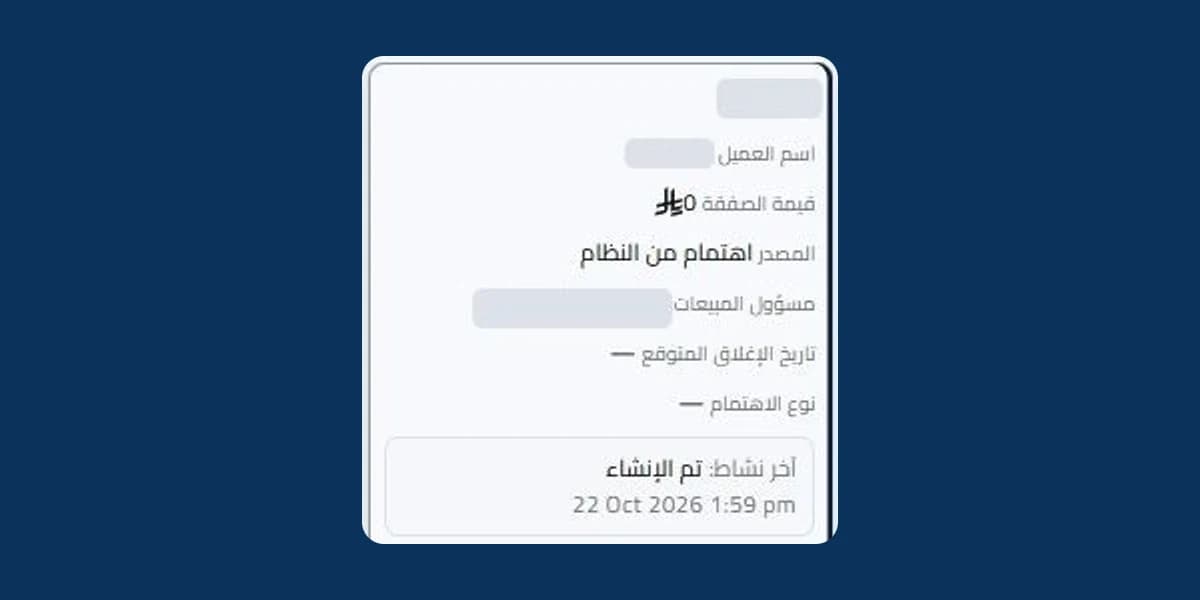
This is what the sales team sees on the other side: the enquiry arrives in the CRM as a new lead, with “interest from the system” as its source, already assigned to a salesperson.
3. A map of every project across Riyadh
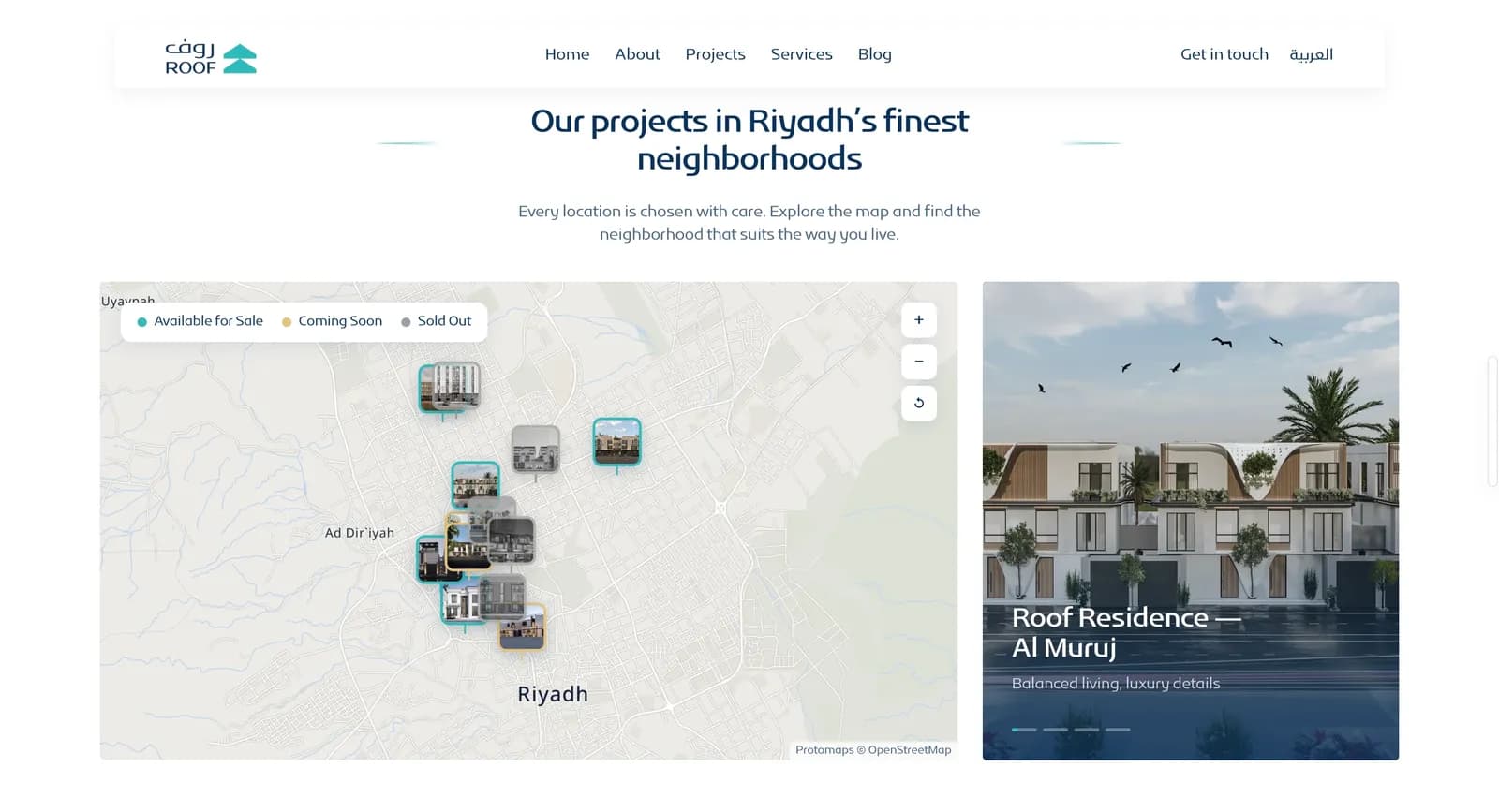
The homepage shows Roof's projects on an interactive map of Riyadh, and every pin is a photo of the building. The pins are colour-coded — available for sale, coming soon or sold out — so a buyer sees at a glance what is still for sale, and where.
4. Arabic first, with a full English version
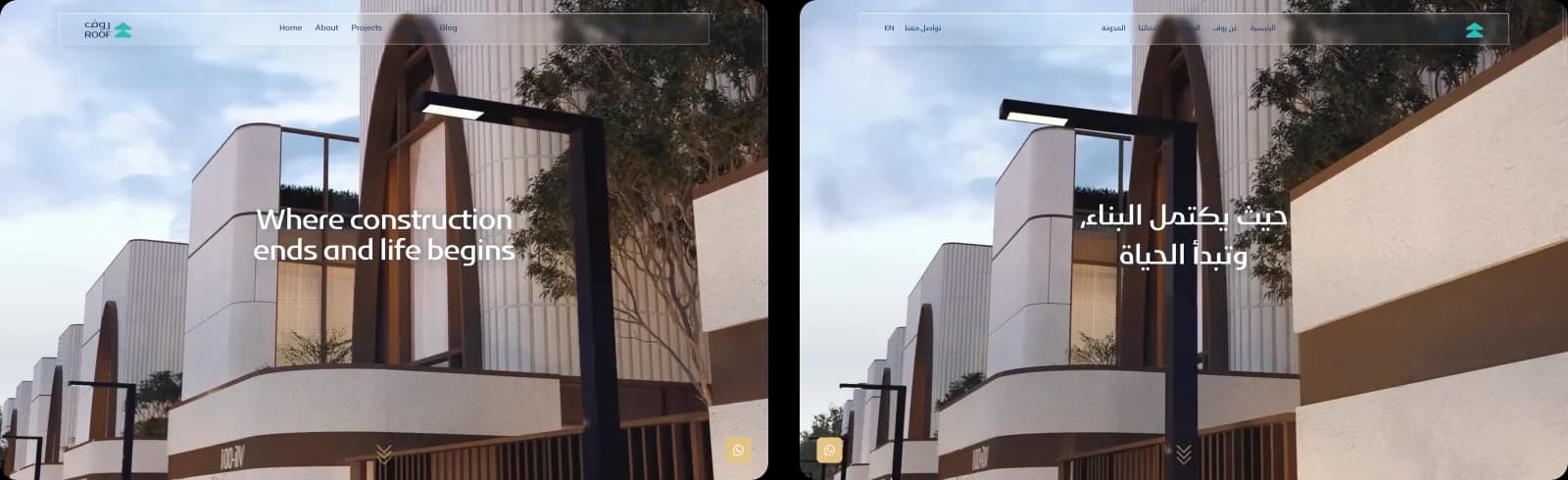
Roof sells in Riyadh, so the Arabic site is the main one, at roof.com.sa, laid out right to left. The English version is at roof.com.sa/en, and every page tells Google where its other-language version is, so each searcher lands on the right one.
5. An admin panel Roof's team runs themselves
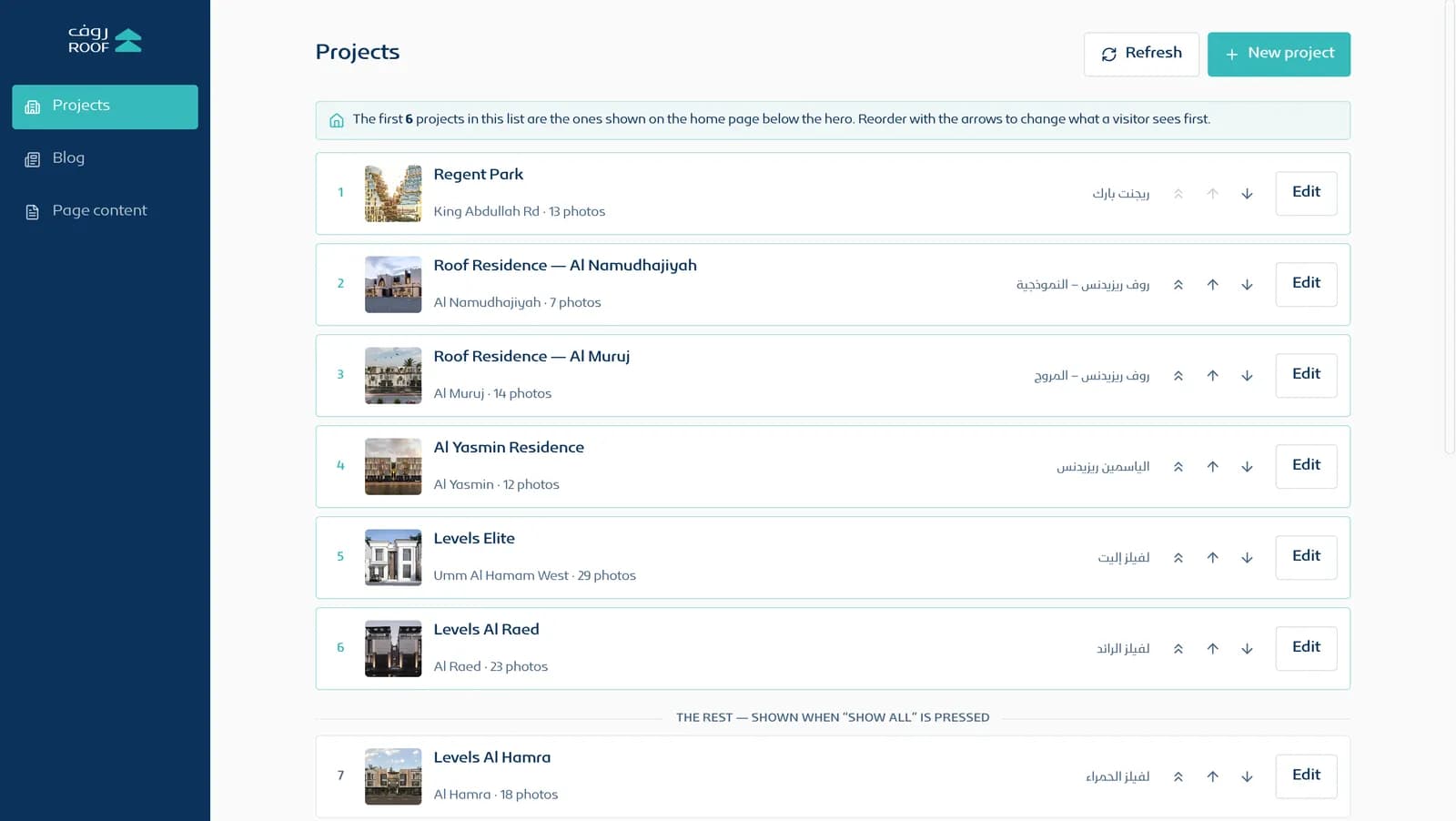
Roof's team runs the site from an admin panel behind a sign-in, in Arabic or English. Under Projects, they add a project or edit one, and use the arrows to choose which six appear on the homepage.
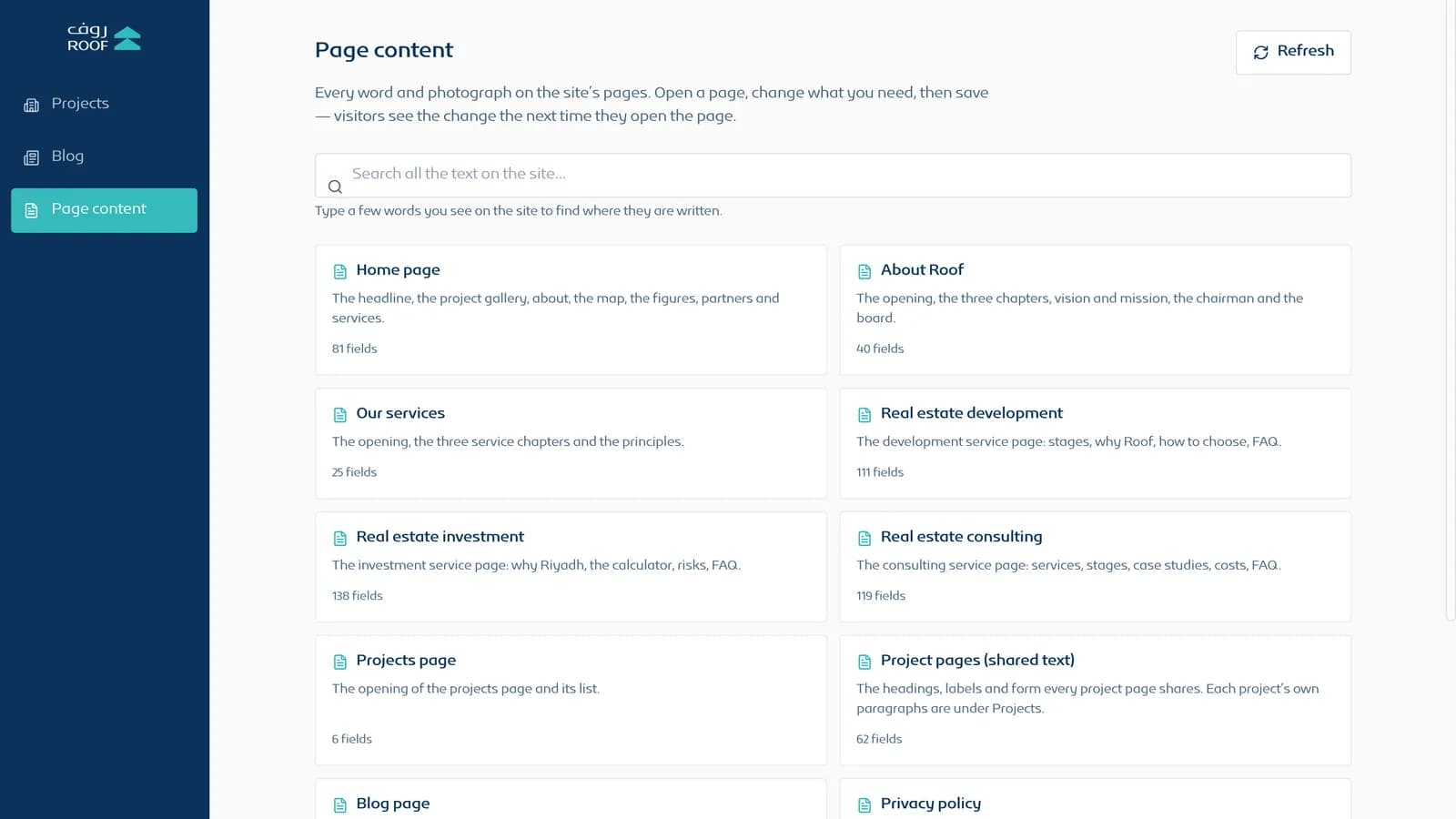
Under Page content, every word and photo on the site's pages can be edited — more than 580 fields — and a search box finds where any sentence on the site is written. Blog posts are published from the same panel and go live without waiting for a developer.
6. Ready for Google from day one
Every page, in both languages, has its own Google title and description, built into the page itself so search engines read them on the first visit. A sitemap lists all 46 pages, 23 in each language, and Roof's details — address, phone number, commercial registration and map location — are marked up for search engines.
Three landing pages cover the services people search for in Riyadh: real estate development, real estate investment and real estate consulting. The site is delivered through Amazon CloudFront, from an edge server in Riyadh.
How long did it take, and why?
About two and a half months from kickoff to launch, and the build was not the slow part.
We had promised to apply every change Roof asked for, and Roof assigned its own designer to check every screen against its brand guidelines. That designer could give the project one or two days a week, so each round of feedback took about a week to come back.
So the calendar was set by review rounds, not by development. We applied each round, put it on the live preview link, and kept going until every page matched the guidelines.
How did we work with Roof's team?
- A live preview link where Roof's team checked every change before it went live.
- Google Meet calls for reviews and decisions.
- Messages for the day-to-day change requests — and there were many.
- Meetings in person at Roof's office in Riyadh, for the decisions that are easier to make in front of one screen.
- Every requested change applied, as promised, and checked against Roof's brand guidelines.
Where does the project stand?
roof.com.sa went live in October 2026, so it is too early to publish enquiry numbers. We will add them here once there are a few months of data.
What has changed is visible on the live site today: every project has its own page in two languages, every project page sends its enquiries straight into the CRM, and Roof's team updates the site themselves.
Building a website for a real estate developer in Saudi Arabia? Seven lessons from this project
- Connect the website to your CRM before you spend on ads. An enquiry that never reaches sales is ad budget thrown away.
- Tag every enquiry with its project. When sales call back, they should already know what the buyer asked about.
- Accept Arabic digits in phone fields. Many Saudi buyers type ٠٥٥…, so convert the number before it reaches the CRM.
- Answer the first questions at the top of each project page: availability, size, bedrooms, district and handover. Put the brochure right next to them.
- Show sold-out projects as sold out. Honest statuses on the map mean fewer calls about units that are gone.
- Agree on a review rhythm at kickoff. If your designer has one day a week for the project, make that the review day and send each round of changes as one list.
- Keep one live preview link as the only place changes are checked. Nobody has to ask which version is the latest.
If you are hiring an agency for a project like this, start with the questions to ask before you sign — Roof's CRM gap is one of the examples there. If you are replacing an old site, read how to redesign without losing your Google rankings. To plan the budget, see what a website costs in Saudi Arabia or our real estate web design page.